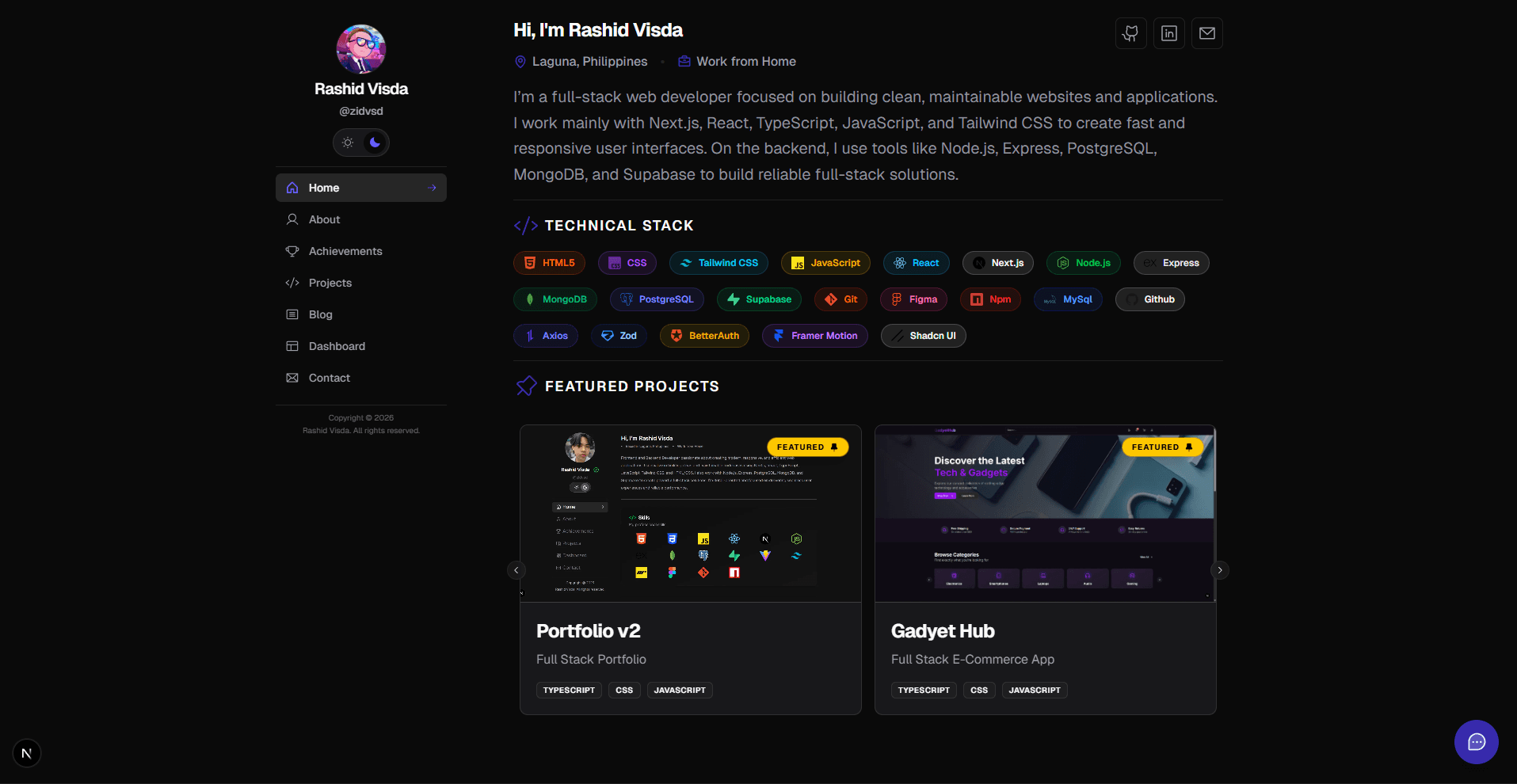
A modern, feature-rich developer portfolio built with Next.js 16, React 19, and TypeScript. Showcase your projects, write about your journey, and connect real-time integrations with GitHub, Spotify, Codewars, WakaTime, and more—all powered by AI chat and a beautiful, responsive design.
Real-time Integrations — GitHub, Spotify, Codewars, WakaTime AI Chat Assistant — Google Gemini-powered visitor interactions Blog System — Markdown support with admin dashboard Comments — Global and blog-specific comment threads Authentication — Better Auth with session management
— Seamless theme switching
— Fully responsive and accessible
— Contact form with Resend
— Optimized for Vercel or any Node.js host
mongoose
motion
nextjs
phosphoricons
prettier
react
resend
shadcn-ui
sonner
tailwindcss
typescript
usehooks
zod
Dark/Light Theme
Mobile-First Design
Email Integration
Deployment Ready
Modern Tech Stack
Next.js 16 App Router with streaming and optimized performance
React 19 Server & Client Components
TypeScript for type safety across the codebase
Tailwind CSS + shadcn/ui for beautiful, accessible components
Mongoose + MongoDB for reliable data persistence
ESLint + Prettier for consistent code quality
Real-time Data Integrations
GitHub — Fetch repositories, contribution stats, and profile activity
Spotify — Display currently playing tracks and personalized playlists
Codewars — Showcase coding challenge progress and rankings
WakaTime — Visualize coding activity breakdown by language
Google Gemini — AI-powered chat assistant for visitor interactions
Resend — Reliable email delivery for contact form submissions
Pre-built Portfolio Sections
Projects — GitHub-synced projects with featured showcase and detail pages
Blog — Markdown-powered blog with filtering, search, and admin dashboard
Dashboard — Real-time stats and integrations widget gallery
Achievements — Track milestones, certifications, and accomplishments
Contact — Form with email validation and AI-assisted responses
About — Personalized profile with skills, experience, and status
Polished User Experience
Dark/Light theme support with persistent preference
Mobile-first responsive design
Smooth page transitions and animations with Framer Motion
Skeleton loaders for perceived performance
Toast notifications (Sonner)
Image carousels with keyboard navigation (Embla)
Quick Start
Prerequisites
Before you begin, ensure you have:
Node.js 18+ and npm/yarn/pnpm
MongoDB Atlas account (free tier available) OR local MongoDB instance via Docker
API keys for the integrations you want to use (optional for local development)
Installation
Clone and install
git clone https://github.com/yourusername/portfolio-v2.git
cd portfolio-v2
npm install
Set up environment variables
# Copy the templatecp .env.example .env.local
# Edit with your API keys
Start the development server
npm run dev
Open http://localhost:3000 in your browser. The app auto-reloads on file changes thanks to Turbopack.
Configuration
Environment Variables
Create a .env.local file in the project root. Here's a complete template:
# Database
MONGODB_URI=mongodb+srv://username:password@cluster.mongodb.net/portfolio

# GitHub (optional - for project fetching)
NEXT_PUBLIC_GITHUB_USERNAME=your-username
GITHUB_API_TOKEN=ghp_xxxxxxxxxxxxxxxxxxxx

# Spotify (optional - for music integration)
NEXT_PUBLIC_SPOTIFY_CLIENT_ID=your_client_id
SPOTIFY_CLIENT_SECRET=your_client_secret
SPOTIFY_REFRESH_TOKEN=your_refresh_token

# Google Gemini (optional - for AI chat)
GEMINI_API_KEY=your_gemini_api_key

# WakaTime (optional - for activity stats)
WAKATIME_API_KEY=your_wakatime_api_key

# Codewars (optional - for coding challenges)
CODEWARS_USERNAME=your_codewars_username

# Email (Resend - for contact form)
RESEND_API_KEY=your_resend_api_key

# App Configuration
NEXT_PUBLIC_APP_URL=http://localhost:3000
Note: All integrations except MongoDB are optional. The portfolio works great with just MongoDB for local development.
Development & Build Commands
npm run dev          # Start dev server with Turbopack (instant HMR)
npm run build        # Build for production
npm start            # Run production server locally
npm run typecheck    # Full TypeScript type checking
npm run lint         # ESLint + Next.js lint check
npm run format       # Prettier code formatting
This project uses modern tooling for consistency and reliability:
# Type checking
npm run typecheck

# Linting
npm run lint

# Code formatting (auto-fix)
npm run format

# All checks before commit
npm run typecheck && npm run lint && npm run format
Project Structure Best Practices
Server Components by Default — Use Server Components in App Router for data fetching
TypeScript Everywhere — Full type coverage, no any types
Component Separation — Isolate client-side interactivity with "use client"
Utility Functions — Keep logic in lib/ for reusability
API Organization — Group related API routes by feature
Deployment & Performance
Deploy to Vercel (Recommended)
Vercel is the official Next.js platform with zero-config deployments:
# Install Vercel CLI
npm i -g vercel

# Deploy
vercel

# Set environment variables in Vercel dashboard
# Test connection string is valid
mongosh "your-connection-string"# Ensure network access is allowed in MongoDB Atlas# (IP Whitelist includes your machine's IP)
Port Already in Use
# Use a different port
npm run dev -- -p 3001
Quick Reference
Common Tasks
Task
Command
Start development server
npm run dev
Type checking
npm run typecheck
Format code
npm run format
Lint code
npm run lint
Build for production
npm run build
Run production server
npm start
Key Files to Edit
File
Purpose
app/page.tsx
Home page layout
lib/constants/projects-config.ts
Featured projects
models/Profile.ts
User profile schema
lib/services/gemini.ts
AI chat configuration
tailwind.config.ts
Theme customization
Environment Variables Quick Setup
Copy .env.example to .env.local (if example exists)
We welcome contributions! Whether it's bug fixes, feature additions, or documentation improvements, your help makes this portfolio better for everyone.
How to Contribute
Fork the repository
Create a feature branch
git checkout -b feature/your-feature-name
Make your changes and ensure code quality
npm run format
npm run lint
npm run typecheck
Commit with a clear message
git commit -m "feat: add new integration card"
Push to your fork
git push origin feature/your-feature-name
Open a Pull Request with a description of your changes
Development Guidelines
Use TypeScript for all new code
Follow the existing code style — run npm run format before committing
Keep components small and reusable
Add proper type annotations (no any types)
Test responsive design on mobile and desktop
Areas for Contribution
UI/UX improvements and design enhancements
New integrations (Twitch, YouTube, BookStack, etc.)
Better documentation and guides
Bug fixes and performance optimizations
Accessibility improvements
License
This project is licensed under the MIT License — see LICENSE for details.
You're free to use this portfolio as a template for your own projects!